
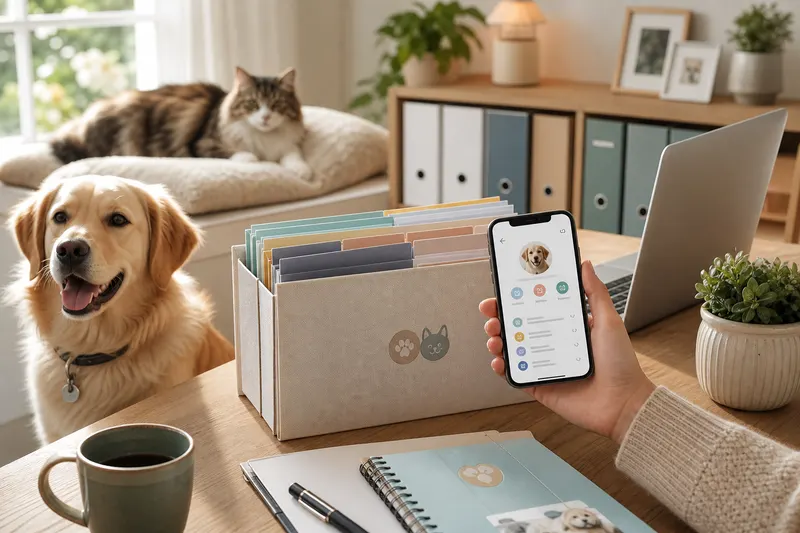
Pet Records 101: Turn Chaos Into a Calm Care Timeline
If you’ve ever wondered what to save and what to ignore, this is your starting point. Pet records aren’t just paperwork-they’re the raw material for a clear pet health timeline that helps you make better decisions, communicate with veterinarians, and reduce stress during boarding, travel, and emergencies.
This guide explains what counts as a pet record, how to build a timeline that stays current, and how to connect routine care (vaccines, prevention, dental, weight) into a system you can actually maintain.
Why this matters
Most pet care problems become harder when history is fuzzy: - A vet asks, “How long has this been happening?” and you don’t know - You can’t find rabies proof when boarding requires it - Medication names and doses get mixed up across time or caregivers - You repeat tests because you can’t access prior results
PetClues helps by storing records alongside reminders and daily check-ins so your timeline stays organized and actionable.
What counts as “pet records”?
Think in categories: - Vaccines and certificates - Vet visit summaries and discharge notes - Medications and prescriptions - Lab results and imaging summaries - Invoices and proof of payment - Prevention logs (heartworm, flea/tick) - Dental and procedure history - Weight and symptom tracking notes
If you want a detailed records setup, start with organize pet medical records.
Build a pet health timeline (step-by-step)
- Choose one home for documents and notes (folder or app).
- Upload the essentials first: - Rabies certificate - Most recent invoice/visit summary - Current prescription
- Create a prevention timeline: - heartworm prevention schedule - flea tick prevention
- Create a vaccine timeline: - Dogs: puppy vaccination schedule and dog vaccination schedule - Cats: cat vaccination schedule
- Create a medication timeline: - pet medication reminder
- Add a symptom and routine log: - Appetite, stool, energy, itching, vomiting
- Set review reminders (monthly and quarterly).
PetClues is built for this: it’s a pet health records app that connects documents to reminders and daily check-ins, making the timeline easy to maintain.
Month-by-month care timeline (simple template)
Monthly - Confirm preventatives are given and logged - Note any new symptoms or changes - Check refills and upcoming due dates
Quarterly - Upload new records and invoices - Update emergency summary and contacts: - pet emergency information - Review trends (weight, appetite, stool)
Annually - Review vaccine timing: - cat vaccination schedule - dog vaccination schedule - Review dental plan: - dog dental care schedule
Common mistakes (and how to avoid them) - Saving records but not linking them to reminders (so behavior doesn’t change) - Keeping invoices but not lab results or discharge notes - Not recording medication last dose times - Waiting until boarding or travel to organize everything - Mixing multiple pets’ records without clear labels - Tracking symptoms without dates, making patterns unclear - Forgetting to update emergency contacts and microchip info
What veterinarians recommend (expert timeline tips)
Vets generally recommend timelines that are: - Chronological: dates matter more than perfect formatting - Complete enough: meds, vaccines, labs, and recent visit summaries - Shareable: you should be able to send proof quickly - Pattern-aware: short daily notes over weeks beat one vague memory
Tools like PetClues help because they keep your records, reminders, and daily check-ins in one place, so you can share a coherent story when you need advice quickly.
A practical starter kit (if you have 15 minutes)
If you want a quick win for pet records and your pet health timeline, do this:
- Save the most recent invoice/visit summary.
- Save a photo of any current prescription label.
- Save rabies certificate (or ask your clinic for it).
- Create a single note titled “Current meds + last dose times.”
- Set one reminder for the next vaccine due date.
This small setup is enough to prevent many “we can’t find it” moments while you build a fuller record system over time.
Connecting records to daily life (where timelines get created)
Records are easiest to maintain when they’re connected to routines you already do: - After a vet visit: upload the invoice and set the next reminder before you get home - After giving preventatives: log the dose date the same day - When a symptom appears: add a short note with the date and frequency
If you already track routines, you can connect them to health outcomes: - dog feeding schedule - dog weight tracker - pet allergy tracker
Records for different households (make it realistic)
Multi-person caregivers
If more than one person feeds, gives meds, or books appointments: - Use one shared source of truth for “last dose given” and next due date - Decide who logs what and when (immediately after the action) - Keep documents shareable so the person handling boarding/travel can access proof
Multi-pet homes
Avoid mix-ups by: - Maintaining one profile or folder per pet - Naming files with date + clinic + pet name - Storing photos that clearly identify which pet the record belongs to
PetClues helps in these scenarios because profiles and reminders reduce cross-pet confusion and create a single health timeline per pet.
A simple “records hygiene” rule
If you want your timeline to stay clean, use one rule after every appointment:
- Upload the invoice and visit summary the same day.
- Update medication list if anything changed.
- Set the next reminder before you close the email or portal.
That’s it. This rule prevents the common “I’ll do it later” backlog that makes records feel overwhelming.
If you need an even simpler version, pick one weekly moment (Sunday evening) to review what’s due next and upload any missing paperwork. A recurring 10-minute habit beats an annual cleanup sprint.
FAQ
What are pet records?
They’re the documents and notes that capture your pet’s medical and care history, including vaccines, medications, lab results, and invoices.
What is a pet health timeline?
It’s a chronological view of key events: vaccines, preventatives, vet visits, symptoms, and treatments-organized so patterns are easy to see.
What should I save after every vet visit?
Visit summary (if available), itemized invoice, prescriptions, and any lab results or imaging summaries.
What are the three most important documents to keep accessible?
Rabies certificate, current medication list, and the most recent visit summary/invoice are a strong baseline.
How do I keep records updated long-term?
Make uploading and setting reminders part of your post-visit routine. If you wait weeks, it becomes a backlog.
How do I organize records for boarding and travel?
Keep vaccine proof and an emergency summary ready. See pet boarding preparation and traveling with pets.
How can PetClues help with a care timeline?
It stores documents, sends reminders, supports daily check-ins, and keeps an emergency passport-style summary ready to share.
Should I track weight and daily symptoms?
Yes. Even simple weekly weight and short daily notes can reveal trends early and help your vet diagnose faster.
What if I’m starting from zero?
Start with three documents (rabies, last invoice, current prescription), then add the rest over time. Consistency is more important than perfection.