
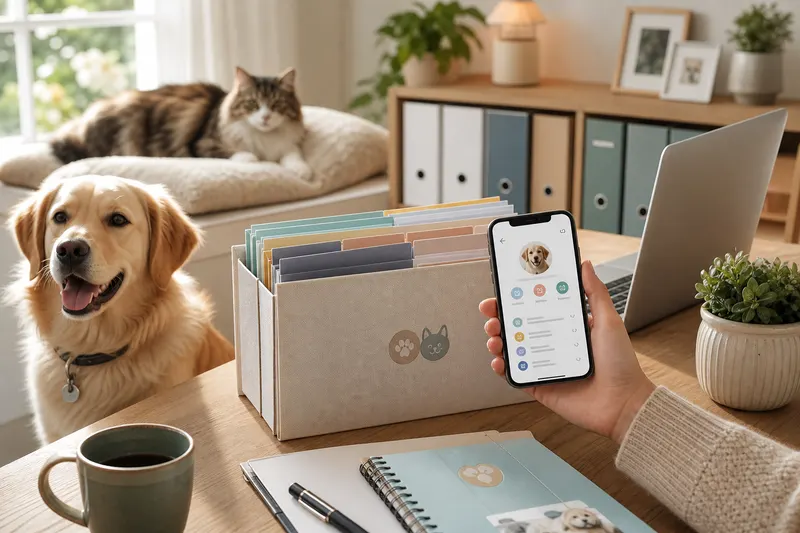
How to Organize Pet Medical Records Online (Free Step-by-Step Guide)
If you’ve ever searched your inbox for a rabies certificate while the groomer waits on the phone, you already understand why it’s worth learning how to organize pet medical records. A modern pet health records app can turn a scattered pile of PDFs, photos, and paper handouts into a calm, searchable library you can share in seconds.
This guide gives you a practical system you can set up in one afternoon-and keep consistent for years. You’ll learn what to save, how to name things, how to plan reminders, and how to make sure an emergency doesn’t become a paperwork problem.
Why this matters
Pet care gets complicated fast: - Multiple clinics (primary vet, emergency vet, specialist) - Multiple pets - Insurance claims and vet bills - Boarding and travel requirements
When records live in five places, you risk missing important info like medication history, allergies, past lab results, or vaccination dates. Organizing records reduces stress, prevents duplication, and helps your vet make faster, safer decisions.
PetClues is designed for exactly this: a pet health records app that stores documents, links them to timelines (like vaccines and medications), and supports vaccination reminders and daily check-ins.
What counts as a “pet medical record”?
Think beyond vaccines. A complete set usually includes: - Vaccination certificates (rabies, DHPP, FVRCP, etc.) - Microchip details and registration confirmation - Spay/neuter and surgery discharge notes - Medication prescriptions and refill history - Allergy history and reaction notes - Lab work (bloodwork, fecal tests, urinalysis) - Imaging summaries (X-ray, ultrasound reports) - Dental cleanings and anesthesia notes - Chronic condition summaries (kidney disease, diabetes, arthritis) - Weight logs and growth charts - Vet bills and itemized invoices
If you’re starting from scratch, your goal isn’t perfection-it’s creating a reliable “single source of truth” that you can update after each appointment.
The fastest way to organize pet medical records online
You can build a strong system in about 60-90 minutes.
Step 1: Pick one home for everything
Choose one place that becomes the default: - A folder structure in cloud storage, plus reminders in your calendar - A pet health records app that combines documents and reminders
PetClues works well as the “one home” approach because you can attach files, set vaccine and medication reminders, and keep an emergency-ready profile without juggling multiple apps.
Step 2: Gather records from every source
Pull from:
- Email (search “rabies”, “invoice”, “vaccination”, “clinic”)
- Photo roll (scan paper handouts)
- Clinic portals (download PDFs)
- Past texts from vets or shelters (screenshots are fine at first)
Aim for “good enough” on day one. You can replace screenshots with clean PDFs later.
Step 3: Use a naming system that survives chaos
If you use folders/files, a simple naming format prevents duplicates: - YYYY-MM-DD - Clinic - Type - PetName
Examples: - 2026-03-14 - Lakeside Vet - Rabies Certificate - Momo - 2026-03-14 - Lakeside Vet - Invoice - Momo - 2026-04-02 - ER Hospital - Discharge Notes - Momo
In a pet health records app, the same principle applies: label documents clearly so you can find them under pressure.
Build a “timeline” so you never miss the next step
Records aren’t just history-they’re a schedule.
Vaccines and boosters
Store proof and set a due date right away. If you want guided vaccine timelines, start with: - puppy vaccination schedule - cat vaccination schedule
Medications and preventatives
Monthly preventatives and daily meds disappear from memory quickly. Create reminders that match reality: - Morning vs evening - With food vs empty stomach - Refill dates and pickup reminders
For a detailed workflow, see pet medication reminder.
Daily check-ins for patterns
Short notes-“itchy today,” “vomited once,” “skipped breakfast”-become valuable when a vet asks, “How long has this been happening?” PetClues includes a daily check-in pattern that helps you log the small stuff without writing a novel.
Create an emergency-ready snapshot
Even with perfect records, emergencies need a quick summary: - Current meds + doses - Allergies - Conditions (asthma, seizures, heart murmur) - Microchip ID - Vet and emergency clinic contact
Build this as an “emergency pet passport” using pet emergency information. Keep it shareable for anyone who might need to act for you.
Add vet bills without losing your mind
Invoices are part of medical history. They show what was done, what was prescribed, and when a condition started. They also help with insurance claims and future comparisons.
If you want help interpreting itemized charges, vet bill organizer breaks down common line items and how to store them for less stress.
Sharing records with sitters, boarding, and travel
Plan for three common scenarios:
Pet sitter instructions
Provide: - Emergency contacts - Med list - Where records live - Vet authorization plan
Use pet sitter instructions as your template.
Boarding/daycare forms
Most require vaccine proof and sometimes a health questionnaire. A pet health records app helps you send the correct PDFs quickly. For prep, see pet boarding preparation.
Traveling with pets
Travel can require proof of vaccination, microchip info, and sometimes additional documents. Start here: traveling with pets.
Common mistakes (and how to avoid them) - Saving only “the important stuff” and later realizing you needed lab results or discharge notes - Naming files inconsistently so you can’t search by date or clinic - Mixing multiple pets’ documents in one folder without clear labels - Uploading documents but not adding reminders (so the system doesn’t change your behavior) - Waiting to organize until you need boarding paperwork or an emergency visit - Not keeping a concise emergency summary separate from full records
What veterinarians recommend (expert record tips)
Vets typically recommend record systems that are: - Centralized: one place for documents from every clinic - Chronological: dates matter for vaccines, labs, medication changes, and symptoms - Shareable: you should be able to send vaccine proof or med lists in minutes - Action-oriented: reminders for boosters, refills, and rechecks reduce missed care
PetClues supports this by combining document storage with reminders and daily check-ins, so your records stay current rather than becoming a static archive.
FAQ
What’s the easiest way to organize pet medical records online?
Choose one home for documents, upload everything you can find, and add reminders right after each vet visit so the system stays updated.
Should I keep vet bills with medical records?
Yes. Itemized invoices often include medications, tests, and diagnoses that matter later, especially for insurance or chronic care tracking.
How do I get old records from a clinic?
Ask for a complete record export as PDFs, including vaccine certificates, lab results, imaging summaries, and visit notes.
What if I have multiple pets?
Use separate profiles and consistent naming. A pet health records app like PetClues helps you avoid mixing documents and schedules.
How do I store medication schedules safely?
Keep the exact drug name, dose, frequency, special instructions, and refill timing. Pair it with reminders so you don’t miss doses.
What’s the minimum emergency packet I should have?
Current meds, allergies, key conditions, microchip ID, primary vet, nearest emergency vet, and a plan for consent if you’re unreachable.
How can PetClues help without being “another app”?
If it becomes the single home for records plus vaccine and medication reminders and quick daily check-ins, it replaces scattered folders, calendar notes, and text threads.
What should I upload first if I’m overwhelmed?
Start with rabies certificate, the most recent invoice/visit summary, and any current prescriptions. Then add the rest over time.
How do I keep my system updated long-term?
Make “upload and set reminders” part of your post-vet routine. If it’s not updated within 24 hours of a visit, it tends to slip.
Related guides - pet emergency information - vet bill organizer - pet boarding preparation
Records pet parents often forget
Radiology reports, dental charts, behavior notes, and insurance EOBs belong beside vaccines and prescriptions. Adding them once prevents repeated searches for years.
PetClues CTA
Use PetClues as your pet health records app with vault storage, smart reminders, and shareable emergency passports. Compare plans for multi-pet homes.