
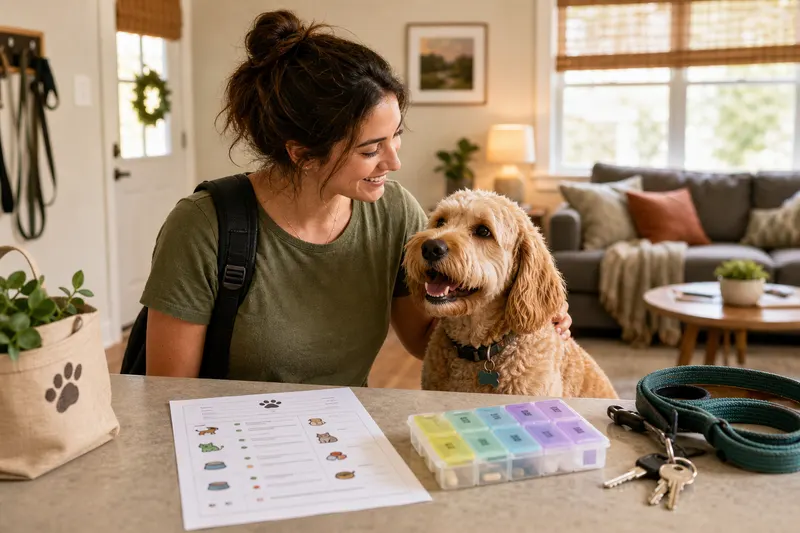
Pet Sitter Instructions: Medical Info & Emergency Details to Share
Clear pet sitter instructions prevent emergencies from becoming chaos. Even the most responsible sitter can’t guess your pet’s medication timing, vet contact, or what “normal” looks like. The goal is simple: give your sitter the information they need to keep your pet safe and to act fast if something goes wrong.
This guide helps you create sitter instructions that cover routines, medical details, and medical emergency info-without overwhelming the person helping you.
Why this matters
Most sitter problems aren’t bad intent-they’re missing context: - A medication dose is skipped because the label is unclear - A symptom is dismissed because the sitter doesn’t know it’s new - An ER visit is delayed because no one knows who can consent
PetClues can support this by keeping your pet’s emergency passport, medication list, and vaccine proof in one shareable place.
The sitter packet: what to include
Daily routine essentials - Feeding schedule and portions - Walk/potty routine (timing, leash rules) - Litter box routine (for cats) - Sleep location and comfort items
If your routine is complex, dog feeding schedule can help you standardize it.
Medical emergency info (non-negotiable) - Primary vet contact - Nearest emergency vet contact - Current medications + doses + last dose times - Allergies and prior reactions - Chronic conditions and “what to watch” - Microchip ID
Use pet emergency information to create the emergency summary first, then include it in your sitter packet.
Authorization plan
Write a short paragraph: - Who can consent to care - Your preferred clinic order (primary vs ER) - Spending guidance and how to reach you
Step-by-step: create sitter instructions in 45 minutes
- Write the routine (meals, walks, meds) in plain language.
- Attach proof (med label photos, vaccine certificate if boarding/daycare is involved).
- Add emergency contacts and a map/address for the ER clinic.
- Do a handoff walkthrough once in person.
- Create a daily check-in method (text at a set time).
PetClues can simplify step 2 by storing documents and letting you share accurate medication and emergency details from your pet profile.
Medication instructions that prevent mistakes
For each medication, include: - Name and dose - When to give it (anchor it to meals when possible) - How to give it (with food, hidden in treat, syringe method) - What to do if a dose is missed
If you need help building the base schedule, see pet medication reminder.
“When to call” guidance
Give simple thresholds: - “If vomiting happens twice in 12 hours, call me and the vet.” - “If breathing looks labored, go to the ER.” - “If no urine for 12 hours, call.”
Avoid vague statements like “if he seems weird.” Specific beats poetic.
Why this matters (real sitter situations)
Most pet sitting hiccups happen in predictable, human ways: - The sitter can’t find the right leash or harness and skips a walk - A medication is delayed because “with food” wasn’t explained clearly - A mild symptom is ignored because the sitter doesn’t know it’s new for your pet - An emergency clinic asks, “Any allergies or current meds?” and the sitter can’t answer
Clear pet sitter instructions reduce these risks by turning your routines into simple decisions the sitter can follow.
Expanded step-by-step: match instructions to the type of sitting
Drop-in visits (10-30 minutes)
Focus on essentials: - Where food, meds, and supplies are located - Potty routine and any “must do” walk rules - What to report each visit (ate? peed/pooped? energy?)
Overnight sitting
Add: - Sleep routine and comfort items - Noise sensitivities or behavior triggers - How to secure doors and prevent escapes
Multi-pet homes
Prevent mix-ups by specifying: - Separate feeding locations - Which pet gets which medication (names, photos, and labeled containers) - How to handle doorways to avoid escapes
If you’re also preparing for boarding or daycare, align your paperwork using pet boarding preparation.
Common mistakes (and how to avoid them) - Sending a long message thread instead of one clean, single packet - Not stating the last dose time for meds (the most common medication error) - Forgetting to include microchip ID or collar tag instructions - Assuming the sitter knows what “normal” appetite or stool looks like - Not providing clear “when to call” thresholds - Forgetting to share vaccine proof when services require it - Not doing a walkthrough and expecting written notes to cover everything
What veterinarians recommend (expert caregiver tips)
Vets generally recommend that caregivers have: - An emergency passport-style summary (meds, allergies, conditions, contacts) - Clear authorization guidance (who can consent, spending thresholds) - Accurate medication instructions and a log of doses given
Build the emergency summary using pet emergency information and keep microchip details current with microchip registration.
PetClues can help by storing the emergency passport, medication list, and vaccine certificates in one place so you can share a consistent packet rather than piecing together texts and screenshots.
A simple daily report template for sitters
Ask your sitter to send one short update at the same time each day: - Ate (all/some/none) - Water (normal/low/high) - Potty (pee/poop, any accidents) - Energy (normal/low/high) - Any symptoms (vomiting, diarrhea, coughing, itching) - Meds given (yes/no, time)
This keeps communication consistent and helps you catch changes early without overwhelming either of you.
FAQ
What are the most important pet sitter instructions?
Medication details, vet and ER contacts, authorization rules, and a clear daily routine for feeding and potty.
What is medical emergency info for a pet sitter?
The essentials: meds and last dose, allergies, conditions, microchip ID, primary vet, emergency vet, and who can consent to treatment.
How do I share records without sending dozens of files?
Keep them in one organized system. A pet health records app like PetClues can store documents and make sharing easier.
Should I include vaccination proof?
Yes if boarding/daycare/grooming is involved or if your sitter may need to access services that require proof.
How do I prevent missed medication doses?
Provide a written schedule, demonstrate dosing, and ask the sitter to confirm each dose given. Reminders and logs help.
How often should the sitter update me?
Set a predictable check-in time and a few key items to report (ate, potty, energy, symptoms).
What should I include if my pet has allergies or sensitive digestion?
List triggers you know, what “normal” stool looks like, and what to do if vomiting/diarrhea occurs. Tracking patterns ahead of time helps: pet allergy tracker.
Should I leave a printed copy of instructions?
Yes, even if you share them digitally. Printed instructions help in emergencies when phone signal is poor or batteries die.
What’s the best way to share documents safely?
Keep them organized in one system and share only what’s needed (emergency summary, meds, vaccine proof). A pet health records app like PetClues can make this easier.
What’s a good “daily report” format?
Ask for a short update: ate (yes/no), water (normal/low), potty (yes/no), energy (normal/low/high), and any symptoms. This keeps communication consistent.