
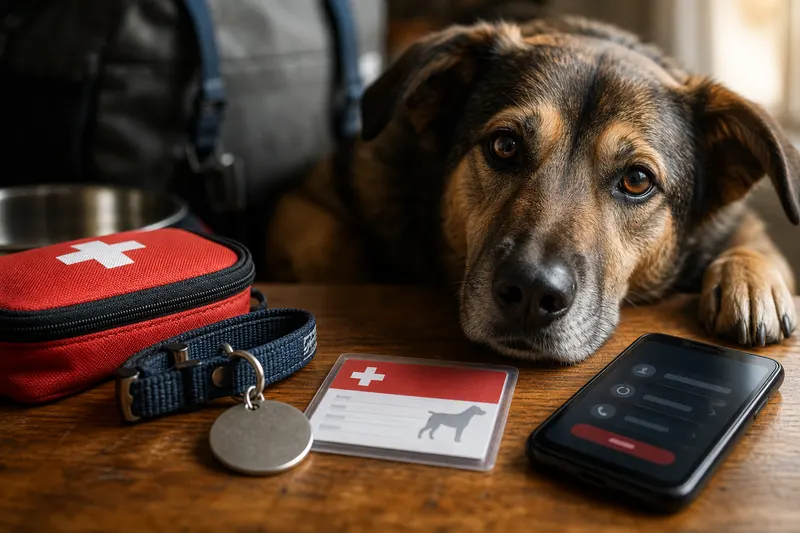
Pet Emergency Information Card: What Every Dog & Cat Owner Needs
You don’t think you’ll need pet emergency information until the day you do-when your dog slips out the door, your cat suddenly can’t keep food down, or a pet sitter texts, “I’m heading to the ER-what meds is she on?” In those moments, an organized card can save minutes and prevent mistakes.
An “emergency pet passport” is simply a concise profile you can share fast. Call it a card, a note, or an emergency pet passport-the purpose is the same: give a vet or caregiver the essentials without hunting through files.
This guide shows what to include, how to format it, and how to keep it current so it actually works when you’re stressed.
Why this matters
Emergency teams often treat first and gather history second. If you can provide accurate info quickly, you help them: - Avoid dangerous repeat dosing - Recognize allergies and prior reactions - Factor chronic conditions into decisions - Contact the right person for consent
PetClues helps by storing your emergency profile alongside your pet’s medical documents, so you can share a single internal link or screenshot when time matters.
What to include in an emergency pet passport
Aim for something readable in under 30 seconds.
Identity and identifiers - Pet name - Species/breed (or best guess) - Age and approximate weight - Clear description and recent photo notes (markings, collar, harness) - Microchip ID and registry name (if known)
If you’re not sure your chip is registered, prioritize microchip registration. A chip without updated contact info is much less useful.
Medical essentials - Current medications: exact name, dose, frequency, and last dose time - Allergies and previous medication/vaccine reactions - Chronic conditions: seizures, heart murmur, kidney disease, asthma, diabetes - Recent procedures (surgery, dental cleaning, hospitalization)
If you struggle to keep meds straight day-to-day, set up a system using pet medication reminder.
Behavior and handling notes
Include anything that changes safe care: - “Fearful at clinic, may bite when in pain” - “Needs muzzle for nail trims” - “Carrier must be top-loaded” - “Do not lift under belly” (post-surgery)
Contacts and consent - Primary vet name + phone - Nearest emergency vet name + phone - Two emergency contacts + relationship + phone - Consent guidance (who can authorize, any spending limits, preferred clinic)
Step-by-step: create the card in 30 minutes
- Pull accurate data from the latest invoice, vaccine certificate, or visit summary.
- Photograph medication labels so spelling and dosing are correct.
- Write conditions plainly: “history of seizures,” “arthritis,” “food allergy to chicken.”
- Add microchip ID and confirm your registry login/email.
- Choose a format: - Phone note (quick) - Printed card by the door/fridge (reliable) - A profile stored in a pet health records app (best for sharing)
- Set a monthly review reminder so it stays current.
PetClues supports this workflow well because your emergency passport can live next to vaccine certificates, medication lists, and daily check-in notes-so the summary matches the real record.
Where to store it (use redundancy)
Use at least two locations: - Digital: phone + app/cloud for shareable access - Physical: printed copy near leash/carrier
If you travel, keep a copy in the glove box and another in your luggage.
Add “just enough” supporting documents
The card is the summary; documents are backup. Keep these handy: - Rabies certificate - Current medication prescription - Recent lab results if a chronic condition exists
Organize these in the same place you keep all records. If you need a full system, start with organize pet medical records.
Special scenarios to plan for
Pet sitter or family caregiver
Pair the card with clear instructions: - Where food and meds are stored - How to give meds (with food, hidden in treat, etc.) - What symptoms are “watch now” vs “ER now”
Use pet sitter instructions to cover the details consistently.
Boarding and travel
Boarding often requires vaccine proof; travel may require additional documents. Prepare with: - pet boarding preparation - traveling with pets
Common mistakes (and how to avoid them) - Listing medications without doses or forgetting the last dose time - Forgetting to include a backup contact who can consent if you’re unreachable - Storing the card only on your phone (no printed backup) - Letting microchip information go outdated after a move or phone change - Using vague language like “sometimes coughs” instead of specifying frequency - Not updating after medication changes or a new diagnosis - Separating the emergency card from supporting documents (rabies certificate, recent prescription)
What veterinarians recommend (expert emergency tips)
Emergency teams value clarity and speed. Common recommendations include: - Keep it short and accurate: one screen or one page is ideal. - Include what changes decisions: meds, allergies, chronic conditions, and last dose times. - Write symptoms in plain language: “history of seizures,” “diabetic,” “asthma.” - Plan for someone else to act: a sitter or family member should be able to use the card without guessing.
If you’re using PetClues, treat it as the “source of truth” for emergency info: keep the emergency passport updated whenever meds change, and store key documents next to it so you can share both quickly.
A quick print-friendly version
If you want a minimalist printed card, include: - Pet name + description - Microchip ID - Primary vet + emergency vet - Current meds + last dose time - Allergies + conditions - Two emergency contacts + consent guidance
FAQ
What is pet emergency information?
It’s the essential identity, medical, and contact details a vet or caregiver needs to act quickly and safely during an urgent situation.
What makes an emergency pet passport different from full medical records?
The passport is a short, high-signal summary; full records are the supporting documents like lab results, invoices, and vaccine certificates.
What’s the single most important detail to include for medications?
The last dose time. It prevents accidental double-dosing when multiple people are involved.
Should I include vaccine dates?
Yes, especially rabies. Boarding and some emergency protocols may ask for proof immediately.
How often should I update the card?
Update after any medication change and review monthly. An app like PetClues makes updates easier because your reminders and documents live in one place.
Can I rely on a printed card only?
It’s a great backup, but digital access is crucial for sharing and for attaching supporting documents.
What if I don’t know my microchip number?
Check adoption paperwork or vet records, then confirm with your clinic; afterward, complete microchip registration.
Should I include a photo on the emergency card?
A photo or clear description helps if your pet is lost or if multiple pets are present. At minimum, include markings and collar/harness notes.
What should I do after I update medications?
Update the emergency passport the same day and review the last-dose instruction so it stays accurate under stress.
Should I include insurance information?
If you have pet insurance, include policy details or a note about where to find them. It can speed up decisions during urgent care.