
Microchip Registration Guide for Dogs & Cats (Plus What to Store)
Getting a microchip is only half the job. Microchip registration-connecting that chip number to your current contact details-is what turns a tiny implant into a real safety net. In 2026, many lost pets are still delayed in returning home because chips are unregistered, registered to a previous owner, or linked to an old phone number.
This guide explains how microchips work, how to register or update them, and how to store proof so you can act quickly if your pet is found.
Why this matters
When a shelter or vet scans a pet, they get a number-not your name. Registration is what links that number to you. A registered chip can: - Reunite lost pets faster - Reduce time in shelters - Provide proof of ownership in disputes
PetClues can help by storing the chip number, registry details, and your “lost pet” action plan alongside other records and emergency info.
How microchips work (quickly)
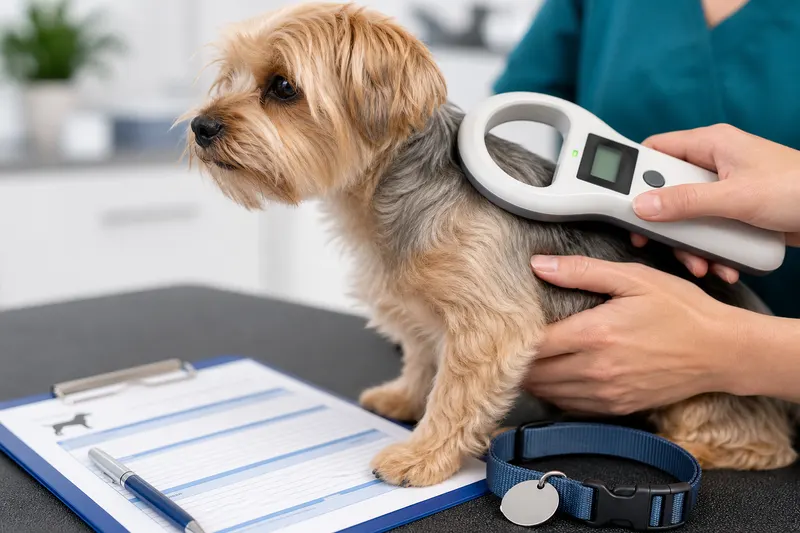
Microchips are passive RFID devices. They don’t have GPS and they don’t broadcast location. They only work when scanned by a compatible reader that displays the chip ID.
That’s why registration and updated contact info are everything.
Step-by-step: microchip registration for dogs and cats
- Find the chip number - Check adoption papers, vet records, or scan at your vet
- Identify the registry - Sometimes listed on paperwork; if not, your vet or shelter can help
- Create or access your registry account
- Update owner information - Phone, email, address, secondary contact
- Confirm the update - Save confirmation email or screenshot
- Test your plan - Make sure your phone/email are correct and that a backup contact is listed
Store the chip number and confirmation in one place. PetClues can hold this in your pet profile and attach the confirmation document so you don’t have to search later.
What to store as proof
Keep: - Chip number - Registry name and login email - Confirmation of registration/update - Vet or shelter that implanted the chip (if known)
Pair this with an emergency summary from pet emergency information.
Common microchip mistakes (and how to avoid them) - Registering but never adding a backup contact - Forgetting to update after moving - Assuming the shelter registered it (sometimes they don’t finish the process) - Confusing microchip with GPS tracking
Why this matters (real-life scenarios)
Microchip registration usually becomes urgent in moments you can’t plan: - Your dog slips the leash at a rest stop while you’re traveling with pets - A cat darts out when a visitor opens the door, and neighbors bring them to a shelter - Your pet is found, but your old phone number is still on file so the shelter can’t reach you - You adopted a pet and the chip is still linked to a previous owner or rescue email
In each case, the chip scan produces only one thing: a number. Registration is what turns that number into a phone call that actually reaches you.
Step-by-step: keep microchip registration current all year
After adoption or purchase (week 1)
- Scan the chip at your vet to confirm the number matches paperwork.
- Register the chip in the correct registry and add a secondary contact.
- Save confirmation proof (email/screenshot).
- Store the chip number in the same place you keep vaccines and invoices.
If you’re building a broader onboarding system, use: - new puppy checklist - new kitten checklist
After a move or phone number change (same day) - Update registry contact details immediately. - Update your pet’s collar tag and emergency contacts. - Review your emergency passport summary so it matches reality: - pet emergency information
PetClues can help by keeping the chip number and registry details inside your pet profile alongside your emergency passport and medical records-so you don’t have to remember where you saved that confirmation email.
Expand your “lost pet plan” (do this before you need it)
Microchip registration is the core, but your plan should include: - A recent photo and description - Your nearest shelter and emergency vet numbers - A backup contact who can answer calls if you’re in a meeting or on a flight
If you travel often, include this in your travel packet: - traveling with pets
What veterinarians and shelters recommend (expert tips)
Many clinics and shelters recommend these best practices: - Add two phone numbers (primary and backup contact) - Use email you check regularly (not an old work address) - Review yearly (set a recurring reminder) - Scan at annual visits if you’re unsure the chip is readable or if paperwork is missing
Common microchip mistakes (expanded) - Registering once and never reviewing again - Keeping only one contact method on file - Using an email you’re about to change or lose access to - Assuming a collar tag replaces microchip registration - Forgetting to update after a relationship change or household move - Not saving proof of registration, making it harder to troubleshoot later - Confusing “chip implanted” with “chip registered” in adoption paperwork
If you found a pet (or your pet is found)
If your pet is lost, have an emergency-ready info packet and contacts ready. If someone finds your pet, your best chance is that they: - Bring the pet to a vet or shelter for a scan - Can reach you quickly via the registry
FAQ
What is microchip registration?
It’s the process of linking your pet’s microchip ID number to your current contact information in a registry database.
Does a microchip track my pet’s location?
No. Microchips are not GPS devices. They only provide an ID number when scanned.
How do I find my pet’s microchip number?
Check adoption or vet paperwork, or ask your vet to scan your pet during a visit.
How often should I update registration?
Anytime your phone, address, or email changes. A yearly review is a good habit.
Should I add a secondary contact?
Yes. If you’re unreachable, a trusted backup can speed reunification.
Where should I store microchip information?
Store it with your medical records and emergency info. PetClues can keep the number and confirmation document inside your pet profile.
What should I do if I adopted a pet and the chip is registered to someone else?
Contact the rescue/shelter and the registry for transfer instructions. Keep proof of adoption and ask your vet to scan and document the chip number.
Should I scan the microchip after implantation?
Yes. A quick scan at a vet visit confirms the chip number and ensures your records match the chip that’s actually in your pet.
Do I need to update the chip if I travel?
You don’t update it for travel specifically, but travel increases the value of accurate contact info. Confirm your phone/email and backup contact before trips.
How do I keep microchip info tied to vaccine records?
Store them together in one system. If you’re organizing, start with organize pet medical records so everything is in one place when you need it.